Apache Spark is a free, open-source tool for processing large amounts of data in parallel across multiple computers. It is used for big data work loads like machine learning, graph processing and big data analytics. Spark is built on top of Hadoop, it is aware how Hadoop works.
Programming languages for Spark :
- Scala
- Python
- Java
- R
- SQL
Spark support 2 operations :
- Transformations
- Actions
RDD (Resilient Distributed Dataset) : Entire Spark is built on the base concept called RDD. Below 2 operations are supported by RDD.
- Transformations
- Actions
Features of Spark :
- Distributed, Partitioned, Replicated
- Note that if data is mutable then it will be hard to distribute, partition and replicate
- Hence Spark required Immutability feature
- Immutability
- We can't change the data
- By design, Spark is purely designed for Analytical operations(OLAP)
- It do support transactional operations using some 3rd party tools
- Cacheable
- To reuse data we cache it
- If information is static, no need to recompute it, for example factorial of 5 is always 120, cache this to serve this operation in repeated manner
- Note that Map Reduce in Hadoop doesn't have this feature
- Lazy Evaluation
- See below explanation for lazy evaluation
- Thus if the code is not efficient, Spark will help to optimize it using Lazy evaluation
- You may get significant performance using this feature
- Type Infer
- Automatically identifies the type of data based on the value asssigned
- Example :
- a = 10 (Value is 10, so a is int)
- str = "Arun" (Value is Arun, so it is string)
- It is a feature of Scala as well
Explanation for Lazy evaluation :
- There are 2 approaches to execute code
- Top Down approach (It will execute line by line top to bottom)
- Bottom UP approach (It verify, optimize and understand what to execute)
- Spark will follow Bottom-Up approach
- In below code, we just need to print the value of C and to achieve this, we need the values of a, b
- We do not need to compute lines 1, 2, 3 as we don't need them in this scenario where we need to print the value of C
- Hence Spark will optimize this code and execute only line 4, 5, 6, 7 to make this computation fast
- It doesn't mean that Spark will ignore first 3 lines, but it will optimize and compute only those lines which are need to finish given task
Line 1 : x = 10
Line 2 : y = 20
Line 3 : z = x + y
Line 4 : a = 100
Line 5 : b = 200
Line 6 : c = a + b
Line 7 : print(c)
Understanding the approach to run Spark programs :
- We can use Databricks community addition to run Spark code using Scala, Java and Python
- But incase if some one is using standalone approach like from local computer after installing VMWare, Linux, Hadoop, Spark, Scala etc. then please see below screen shots to understand how to open those terminal prompts and connect to required environment.
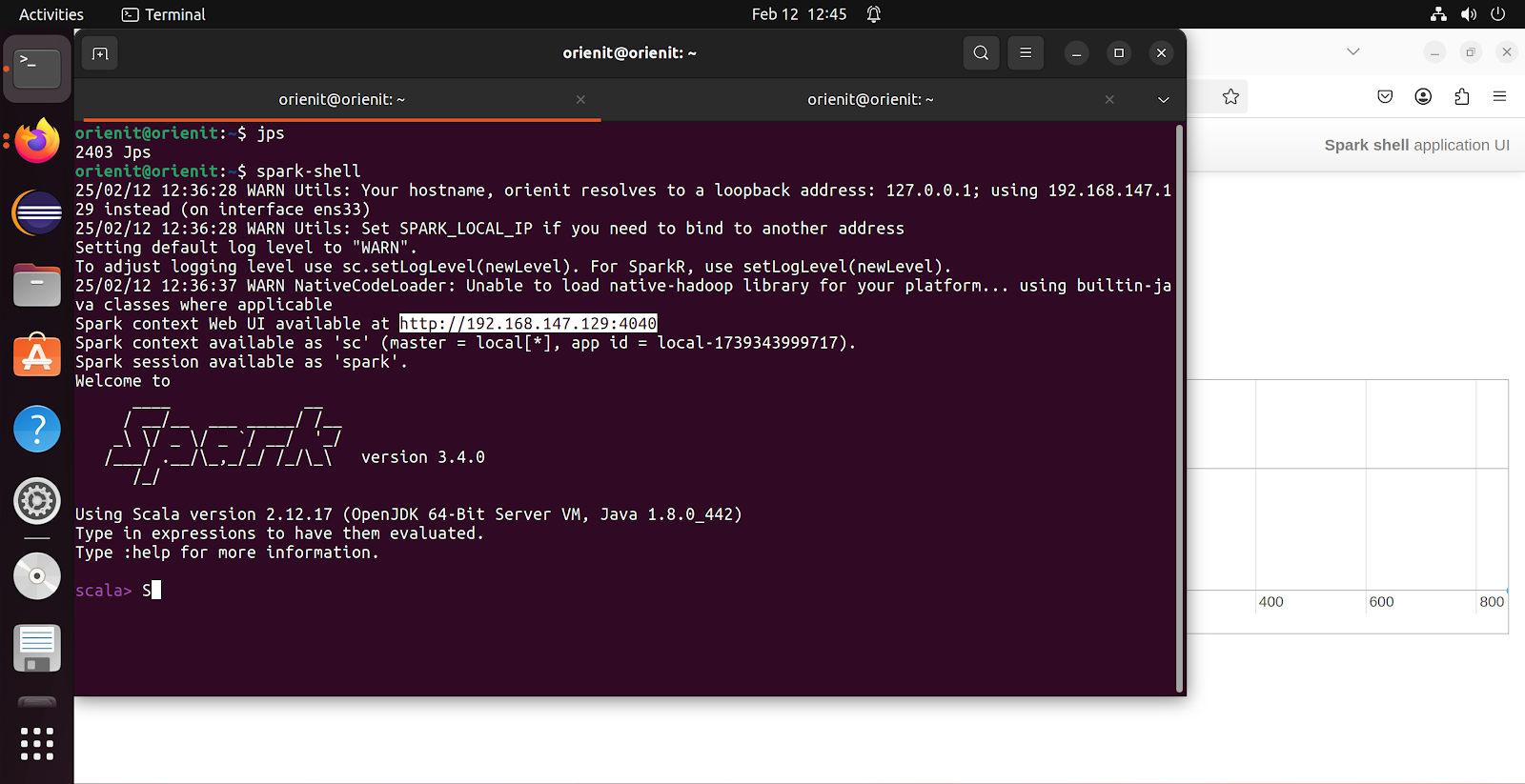
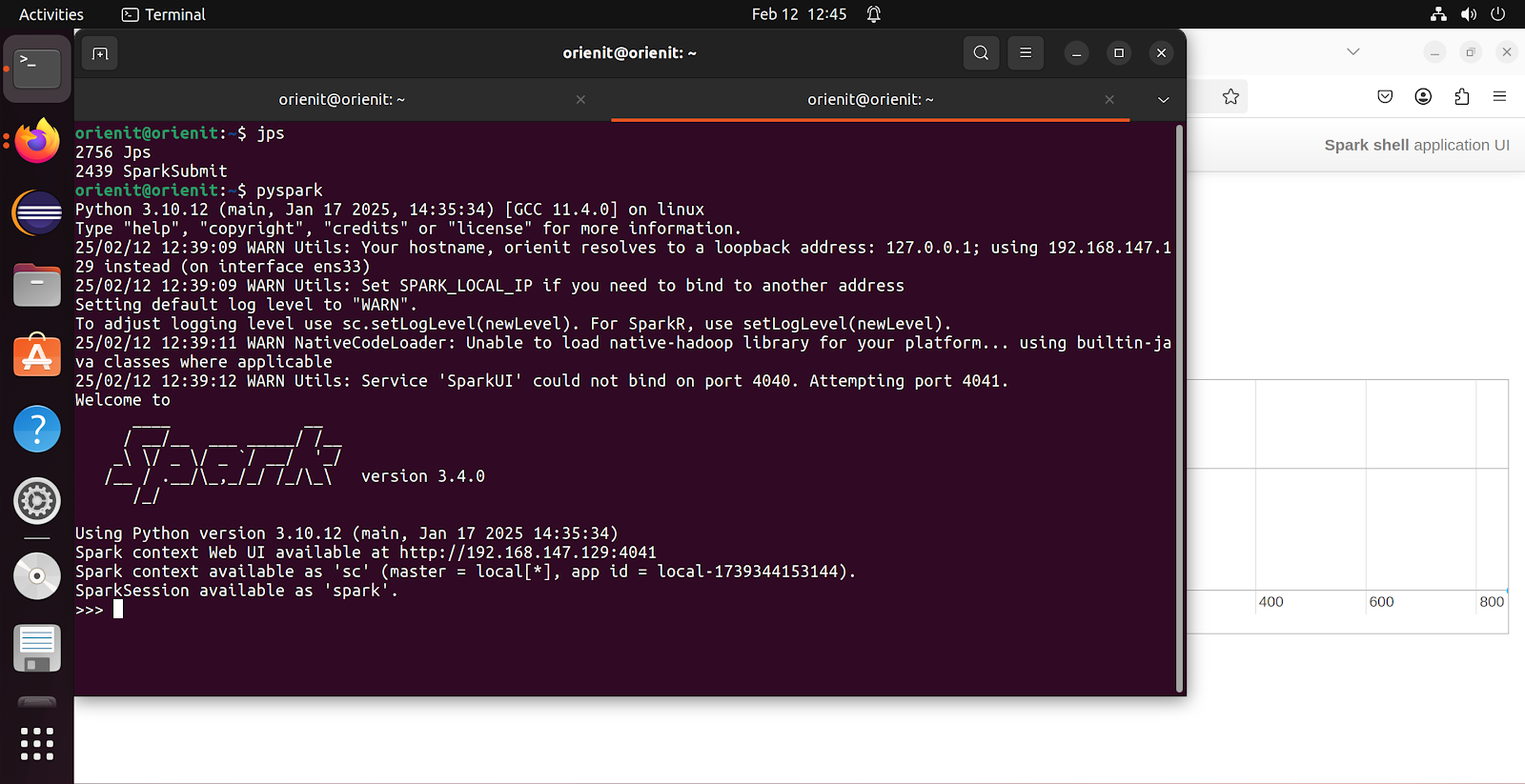
- To login to Spark shell to use SCALA
- Command : spark-shell
- To login to Spark shell to use Python
- Command : pyspark
- Note by default Spark will use PORT no 4040 (first screenshot), if this port no is in use then it will increment by and use PORT no 4041 (second screenshot)
- We have started spark-shell first and 4040 port no assigned to this, after that we have started pyspark and 4041 PORT no is assigned (as 4040 is already in use by spark-shell)
- Simply use Databricks by just creating a Spark cluster.
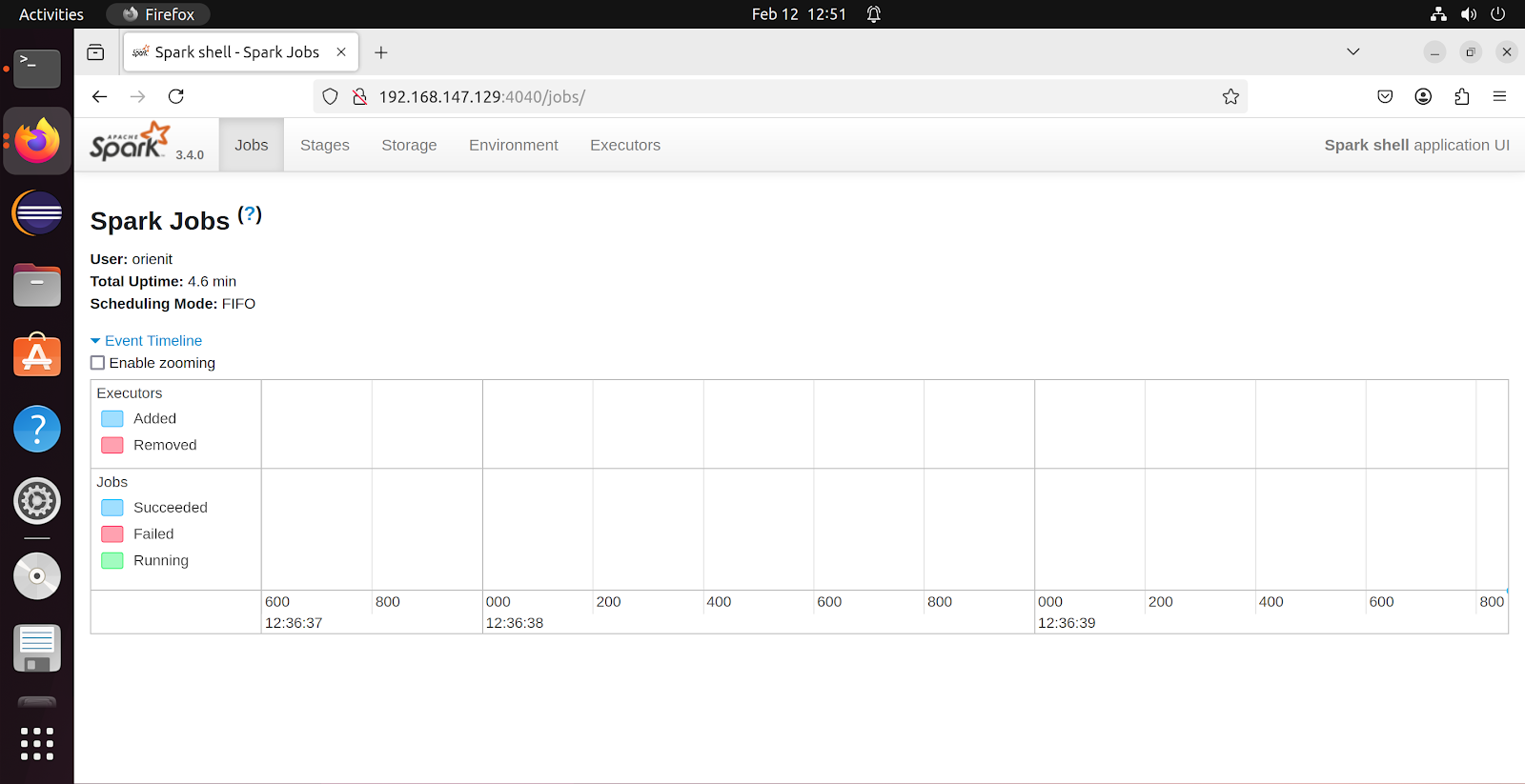
- Using the link displayed in terminal, we can visualize Spark environment is browser as shown in above screenshot
- Also note that in above screen shots, JPS output is showing a process called spark-submit, this is a deployment concept of Spark. Just keep this is mind, we can see more information on spark-submit in coming blogs.
Spark context : Spark context is the entry point for any Spark operation. It is very important to understand this concept clearly before proceeding to further concepts in Spark.
- When we use terminal approach, it will create a Spark context object for us
- Spark context available as 'sc' (master = local[*], app-id = local-1739345321031)
- Spark session available as 'spark'
- When we use notebook, Databricks approach, it is our responsibility to create this object using below code
- import org.apache.spark.SparkContext
- import org.apache.spark.SparkConf
- val conf = new SparkConf().setAppName("Spark Core").setMaster("local[*]")
- val sc = SparkContext.getOrCreate(conf)
- We have to understand where our Spark is running and set that details in setMaster()
- Now we are running Spark in local, hence mentioned local[*]
- App name also needs to be defined, it could be anything but must be meaningful
- Above information needs to be passed to conf object and using this configuration object only we should create a Spark context as shown above
- Always use getOrCreate() while creating a Spark context, creating multiple SC will consume more memory and impact performance in production
- DO NOT use SparkContext.Create(), always use SparkContext.getOrCreate()
- Without creating Spark context object we can't do any transformations or actions
- This is a Spark object, whatever we do in Spark, it will hold that environment in/using this Spark context object and execute it
- This is for learning perspective, in real time we have to write a program and we have to import above 2 modules and create a Spark context
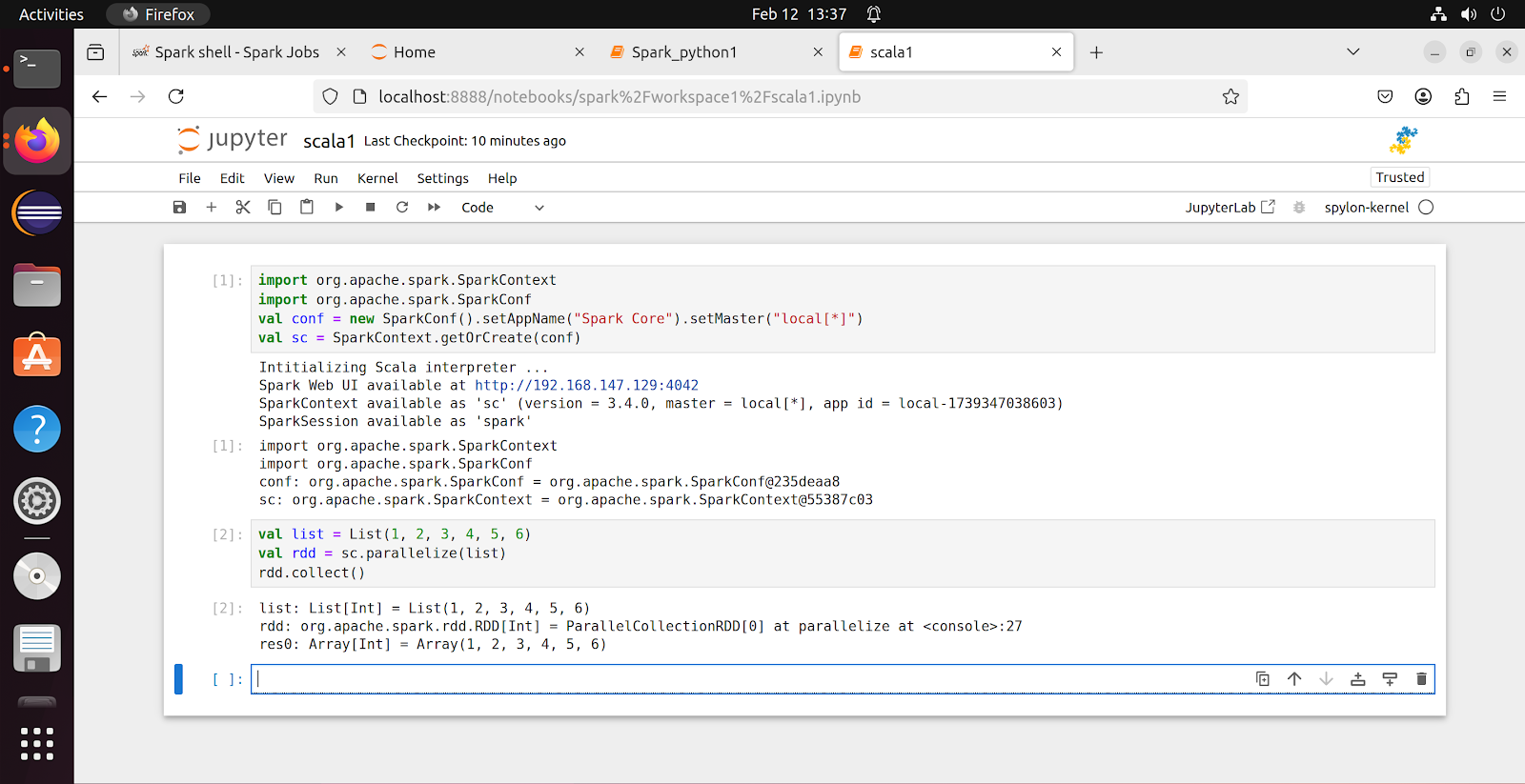
Sample Spark code :
- We have created a list in Scala
- Created an RDD using Spark Context, applied some action called parallelize(), this method will be used to convert a input into RDD
- Collected the result, which is an Array of type int(because we assigned integer values to list - this is called TYPE INFER concept in Scala/Spark)
- This is called an Action (not transformation)
- In Action, input will be an RDD and output will be some result of any type
- But in Transformation, input and output both will be RDD's
- We haven't transformed anything here, we just applied some action
scala> val list = List(1, 2, 3, 4, 5, 6)
list: List[Int] = List(1, 2, 3, 4, 5, 6)
scala> val rdd = sc.parallelize(list)
rdd: org.apache.spark.rdd.RDD[Int] = ParallelCollectionRDD[0] at parallelize at <console>:24
scala> rdd.collect()
res1: Array[Int] = Array(1, 2, 3, 4, 5, 6)
Scala variant of Code :
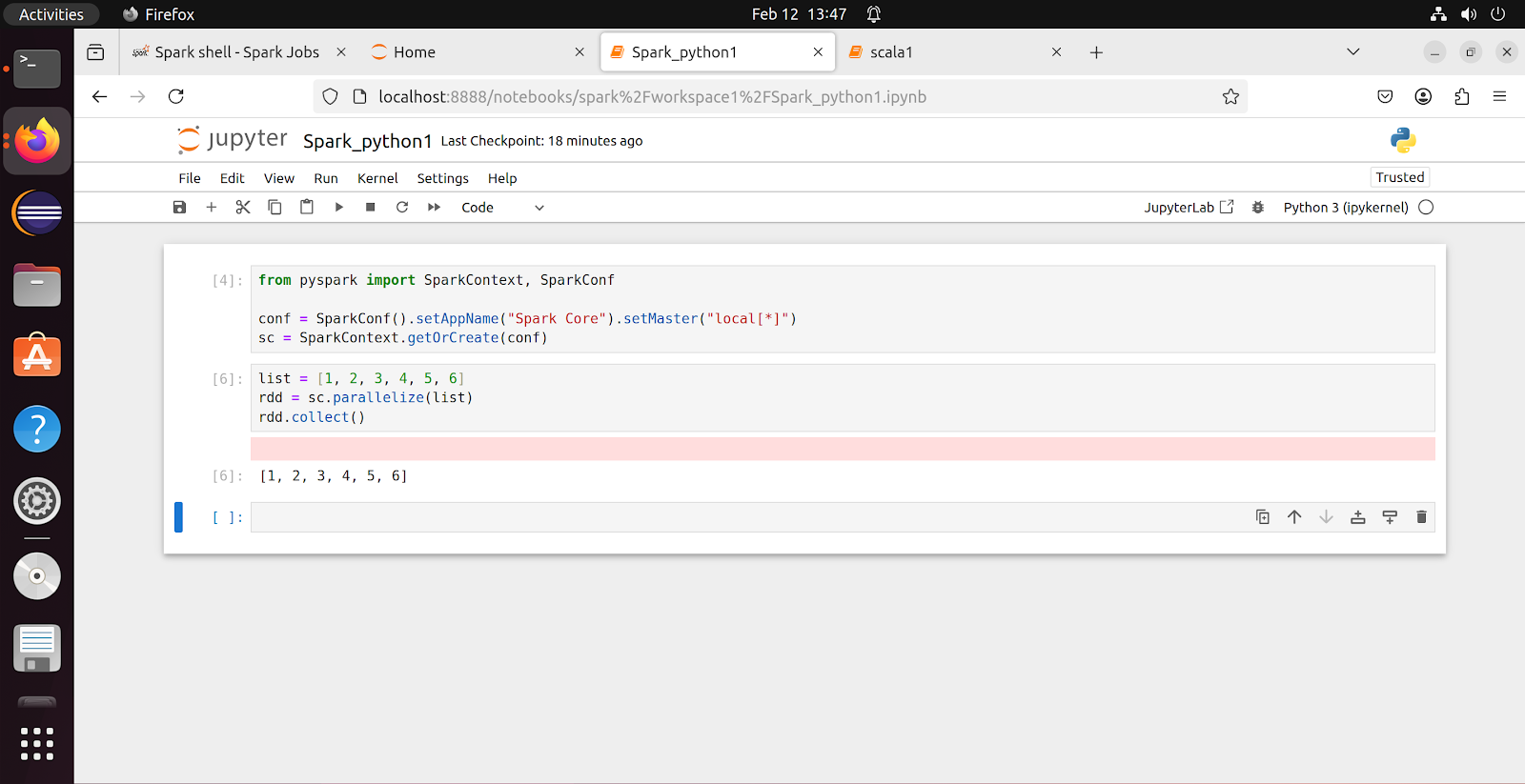
Python variant of Code :
That's all for this blog. See you again in another blog!
Thanks,
Arun Mathe
Email ID : arunkumar.mathe@gmail.com
Comments
Post a Comment